Calls and call-backs
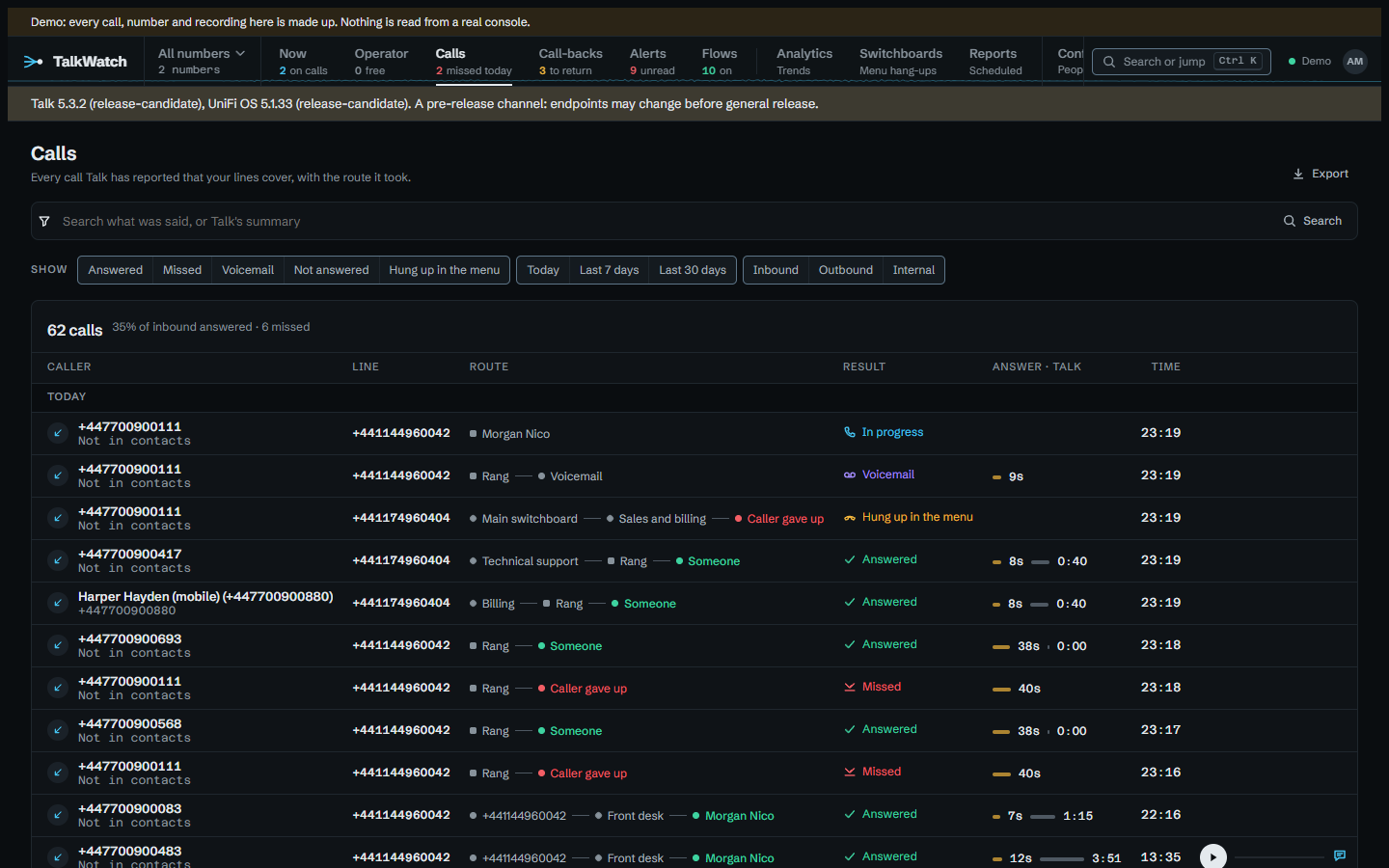
The call log lists every call you can see, with its outcome worked out from what happened to it rather than from Talk's status (see the home page for why). Each filter you add shows as a chip that says what it does and comes off with one click. The filters live in the address, so a filtered view can be bookmarked or sent to someone. Someone without the same access just sees fewer calls.
A call's page tells it as what happened, from Talk's routing events: which number it came in on, the menu options chosen, who it rang and for how long, and how it ended. Below that come the recording or voicemail, Talk's summary and transcript when transcription is on and you're allowed to read it, and With this number, the other calls from the same caller. A forwarded call that an outside number answered also shows what TalkWatch made of that number; see outside voicemail.
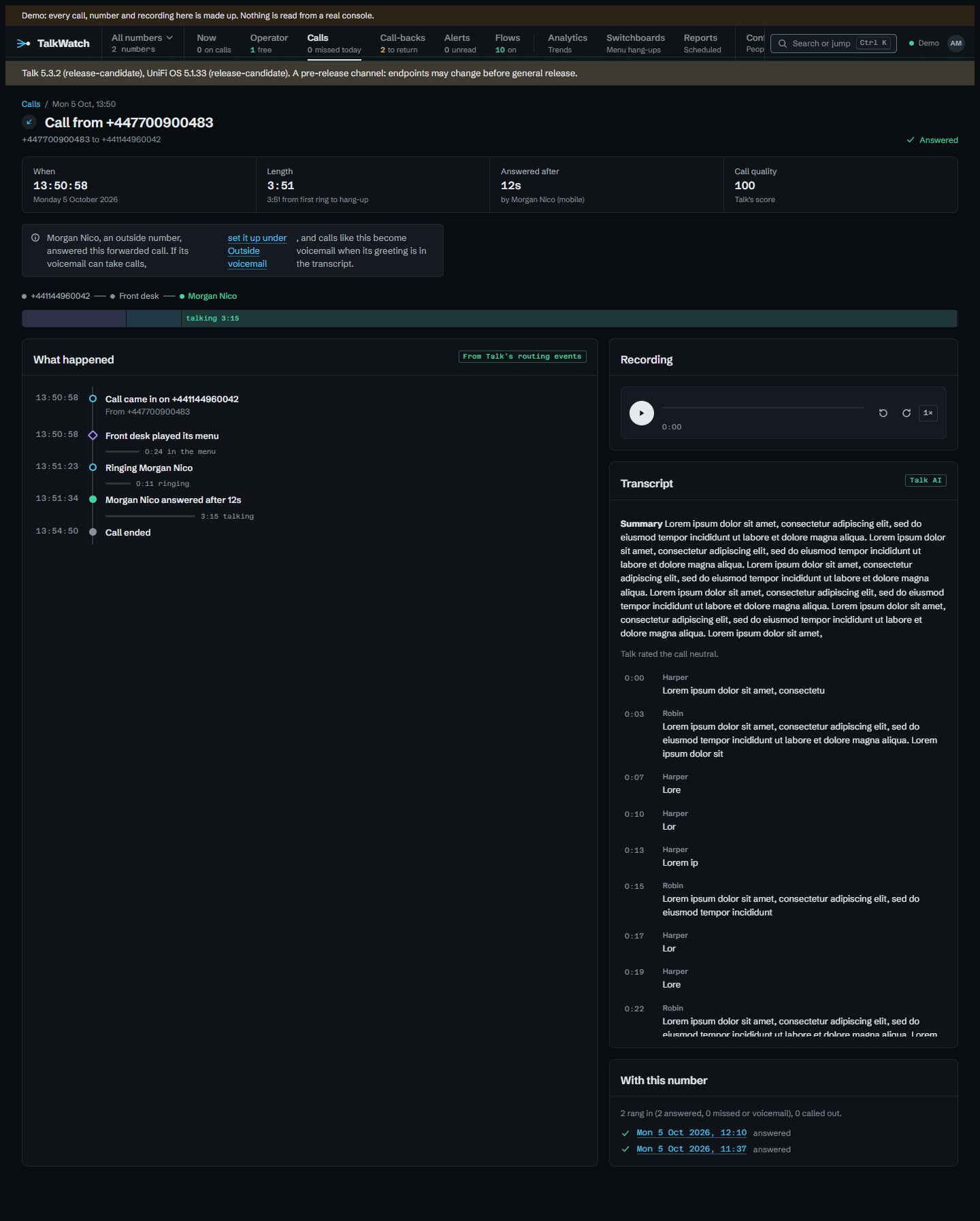
Audio plays in the page with a waveform. Nothing is downloaded until you press play, so opening a call doesn't put a play in the audit log. Pressing play fetches the file once and the waveform is drawn from that same download, so one play is one audit entry. Click a line of the transcript to jump there; the line being spoken is highlighted. If you move to another page, a small player keeps the recording going.
A call that's still ringing or sitting in a menu with nothing new from Talk for 15 minutes is treated as over. Talk reports every step of a call while it's being routed, so that long a silence means its hang-up was never logged, and without this it would show as live for hours. Any call that started more than a day ago is taken as finished for the same reason.
Call-backs
Call-backs lists missed callers nobody has got back to in the last 30 days, one row per caller however many times they tried. The list is about people still waiting, and a caller from two months ago is better looked up than chased; Include older shows the lot.
A caller leaves the list when someone rings them back from any phone on the system, when a later call from them is answered, or when someone marks them done. The edge of each row turns amber after 4 hours waiting and red after 24.
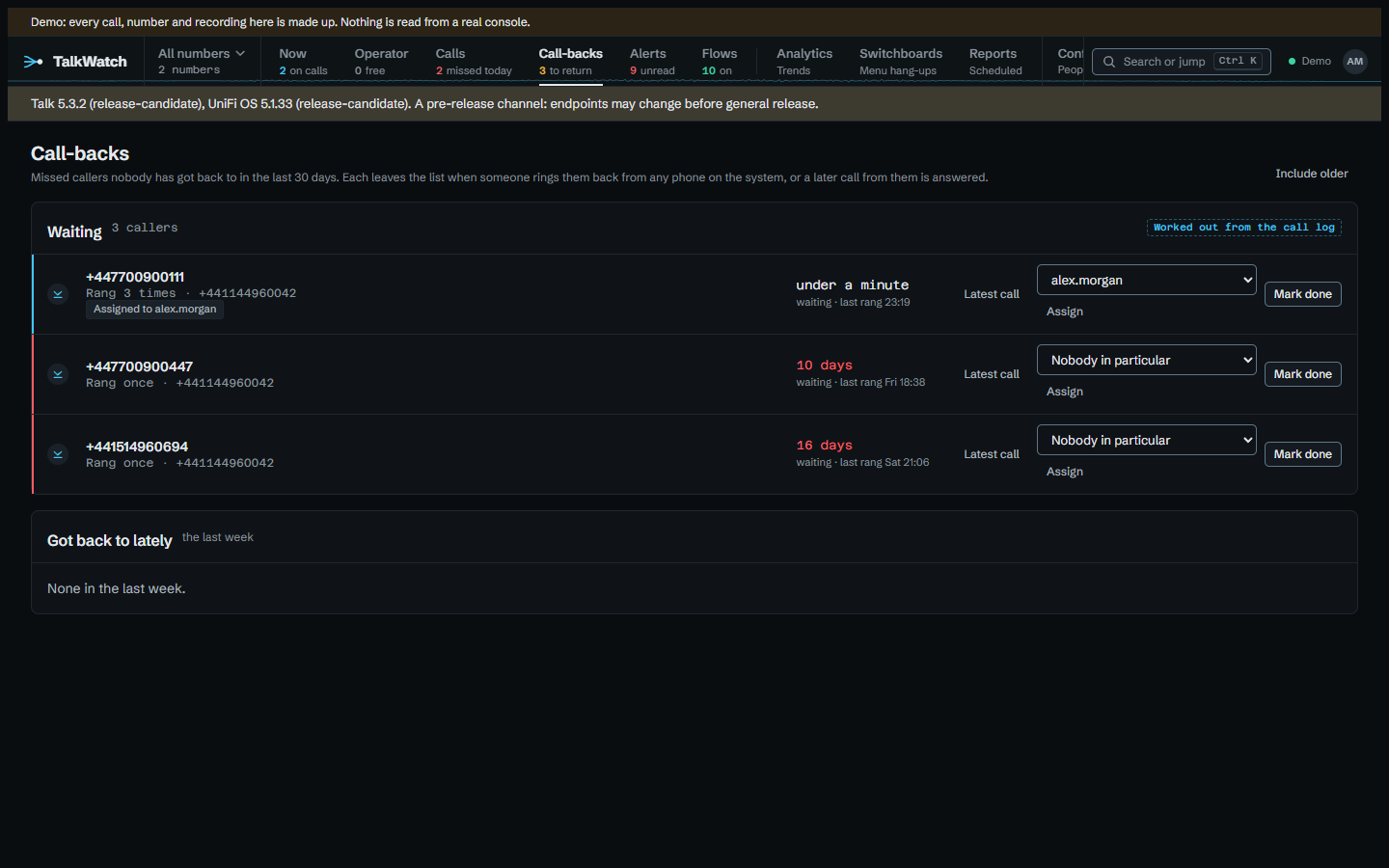
If your role allows, you can give a caller to one person from the menu on the row, and the row then shows Assigned to them. A flow can do the same (alerts). Got back to lately underneath shows who was dealt with in the last week.