Running the front desk from one screen
Whoever looks after the phones all day needs to know three things at a glance: who's ringing that nobody has picked up, who's free to put a call through to, and who's waiting to be rung back. Talk's own app answers each of those on a different screen, and none of them live. Operator puts all three on one, and keeps it current as Talk reports each step.
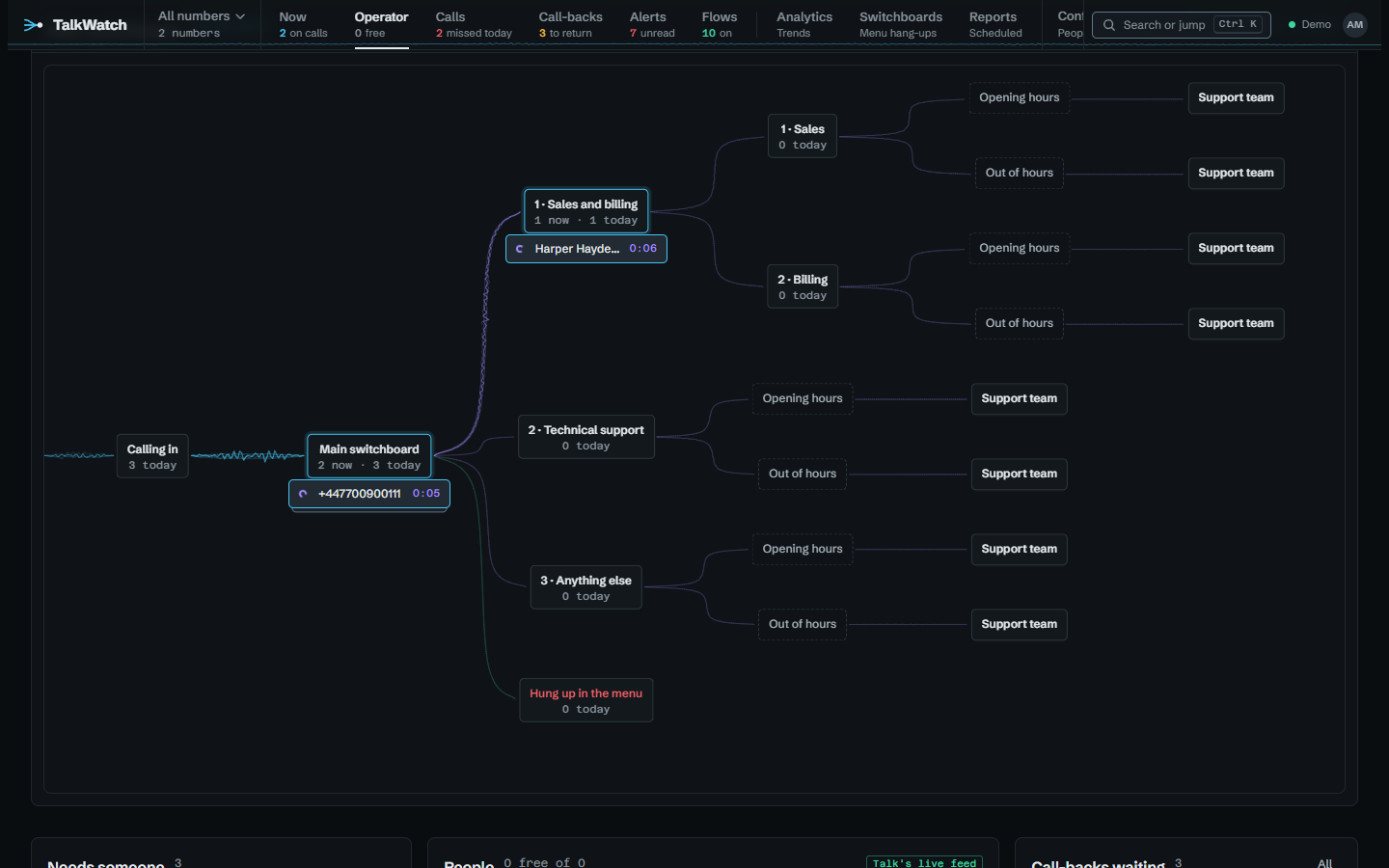
Where callers are in the switchboard
Each switchboard is drawn as the flow its callers move through: in, the menu, each option, and where each option puts calls. A caller in the menu is a card at the stage they last reached, with how long they've been there, and as Talk reports each key they press, the card moves along to the option they chose.
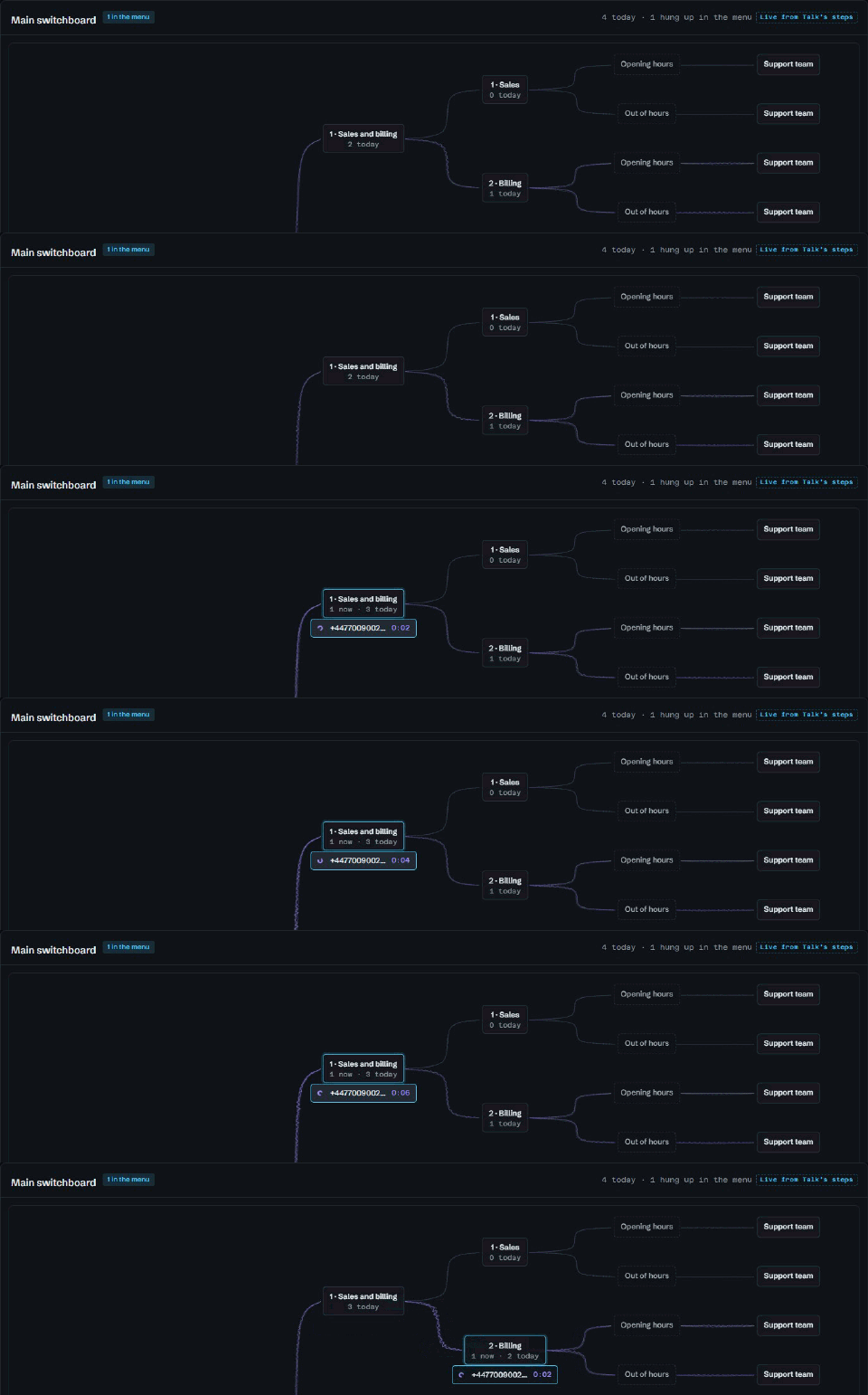
That matters at a desk because a caller who's been in the menu for two minutes is a caller about to hang up. Seeing them there is the chance to pick up their call when it rings through, rather than finding it on the missed list later.
Who's free
People lists everyone by ring group, with their presence, so it's clear which team has someone free before a call is put through. Choose a number in the switcher on the rail and only the groups and people a call to that number can reach are shown. A mobile a group forwards to is listed under Forwarded to, and never counted as free, because Talk knows nothing of whether the person carrying it is.
Needs someone comes first on the page: calls ringing or waiting that nobody has picked up. Call-backs waiting sits on the right, longest first.
TalkWatch reads Talk and never controls it, so answering and transferring stay on the handset. Operator is for deciding where a call should go, and the handset is still where it's sent.
Leave Now open
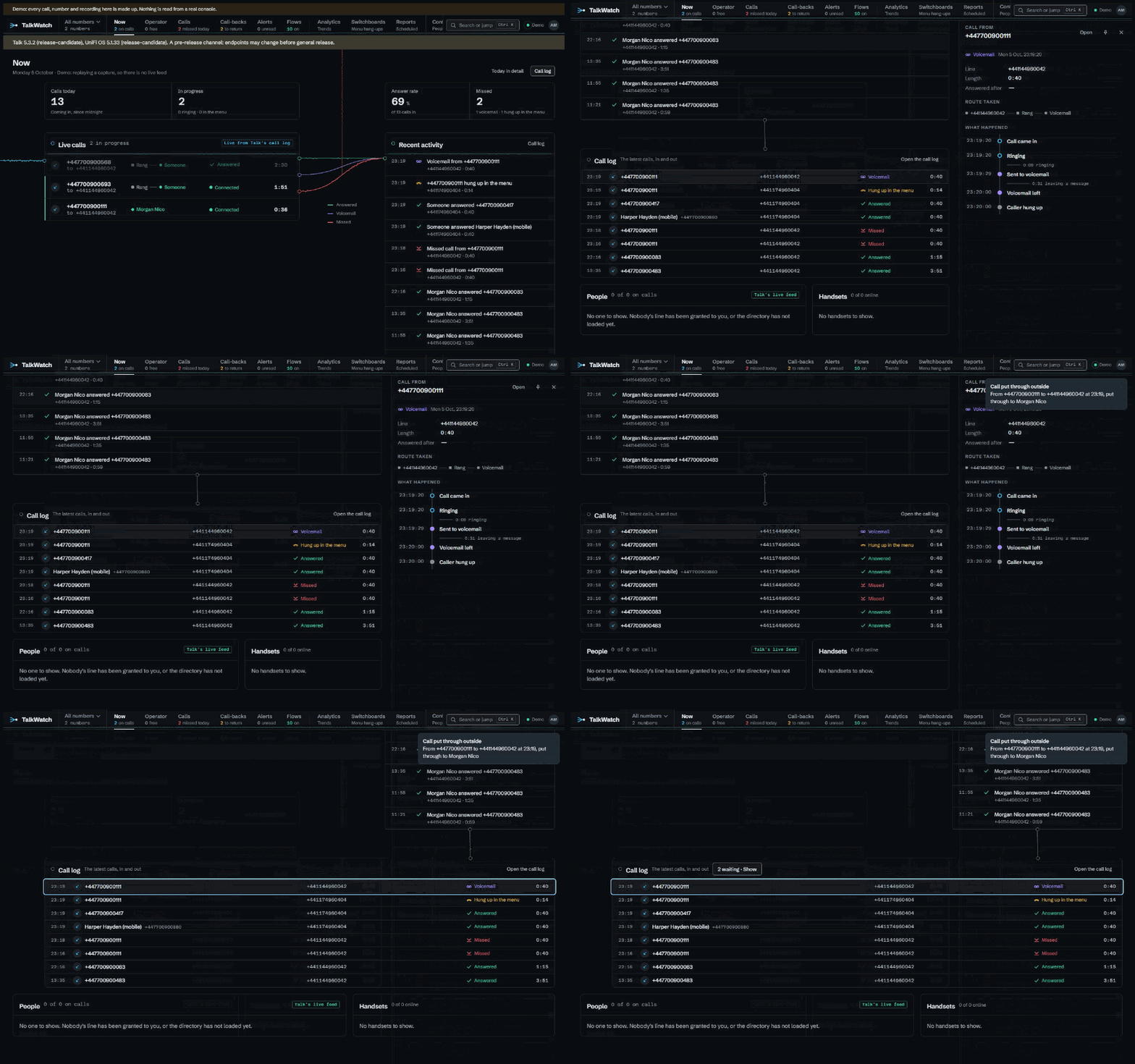
Now is the other screen worth leaving up. It's laid out as calls move: they stream in to Live calls, leave by how they ended into Recent activity, and drop into the call log. A missed call's mark climbs to the rail's missed today as it lands.
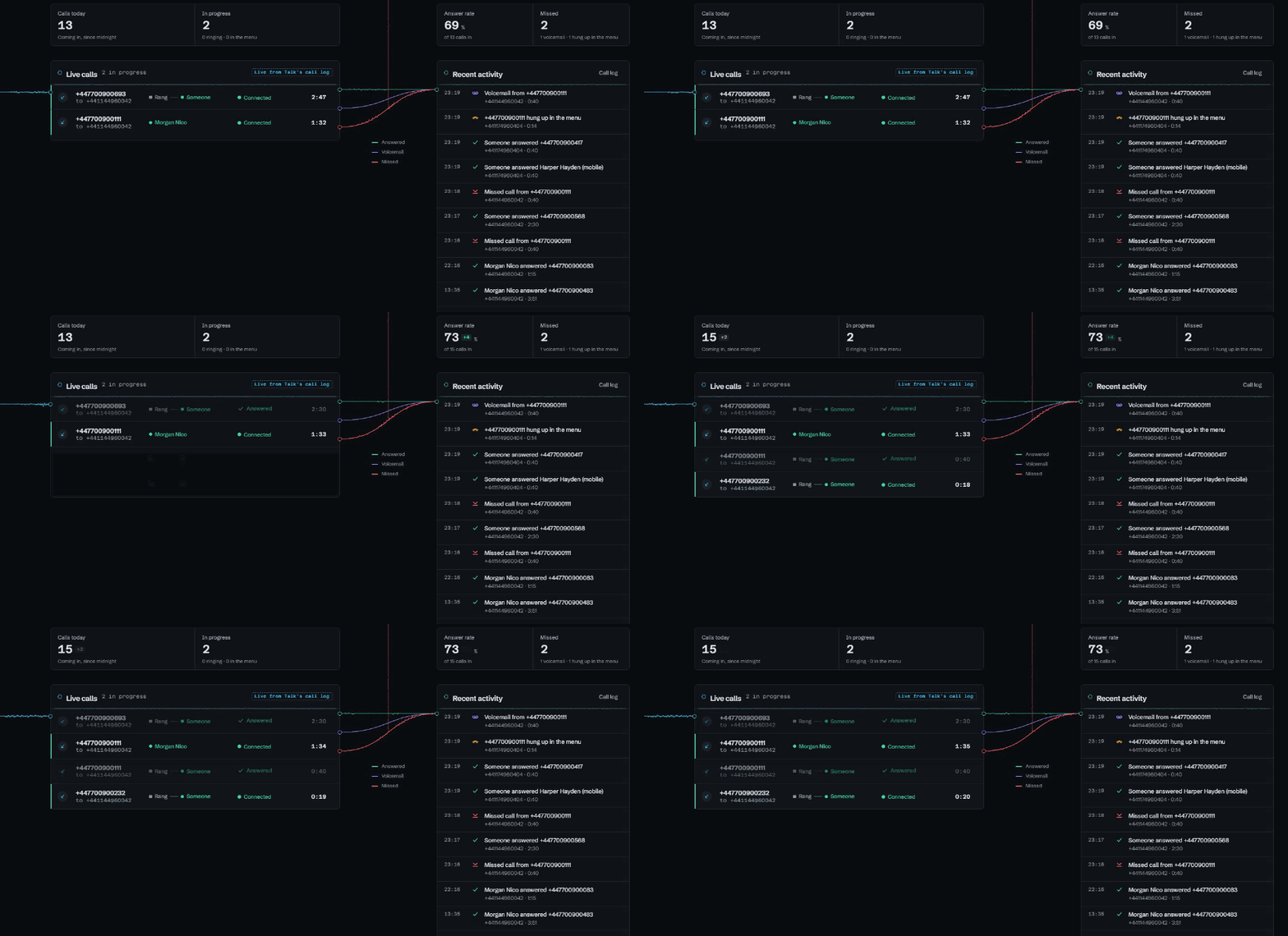
A list holds still while the pointer is over it, because a row that moves just as it's clicked sends the click to its neighbour. The heading counts what's waiting to come in (2 waiting · Show) instead.
Hearing about it without watching
Nobody watches a screen all day. Turn on Alerts in TalkWatch on your Account page and allow desktop notifications, and the alerts a flow sends you appear as a pop-up on any TalkWatch page that's open, and as a desktop notification even with TalkWatch closed.
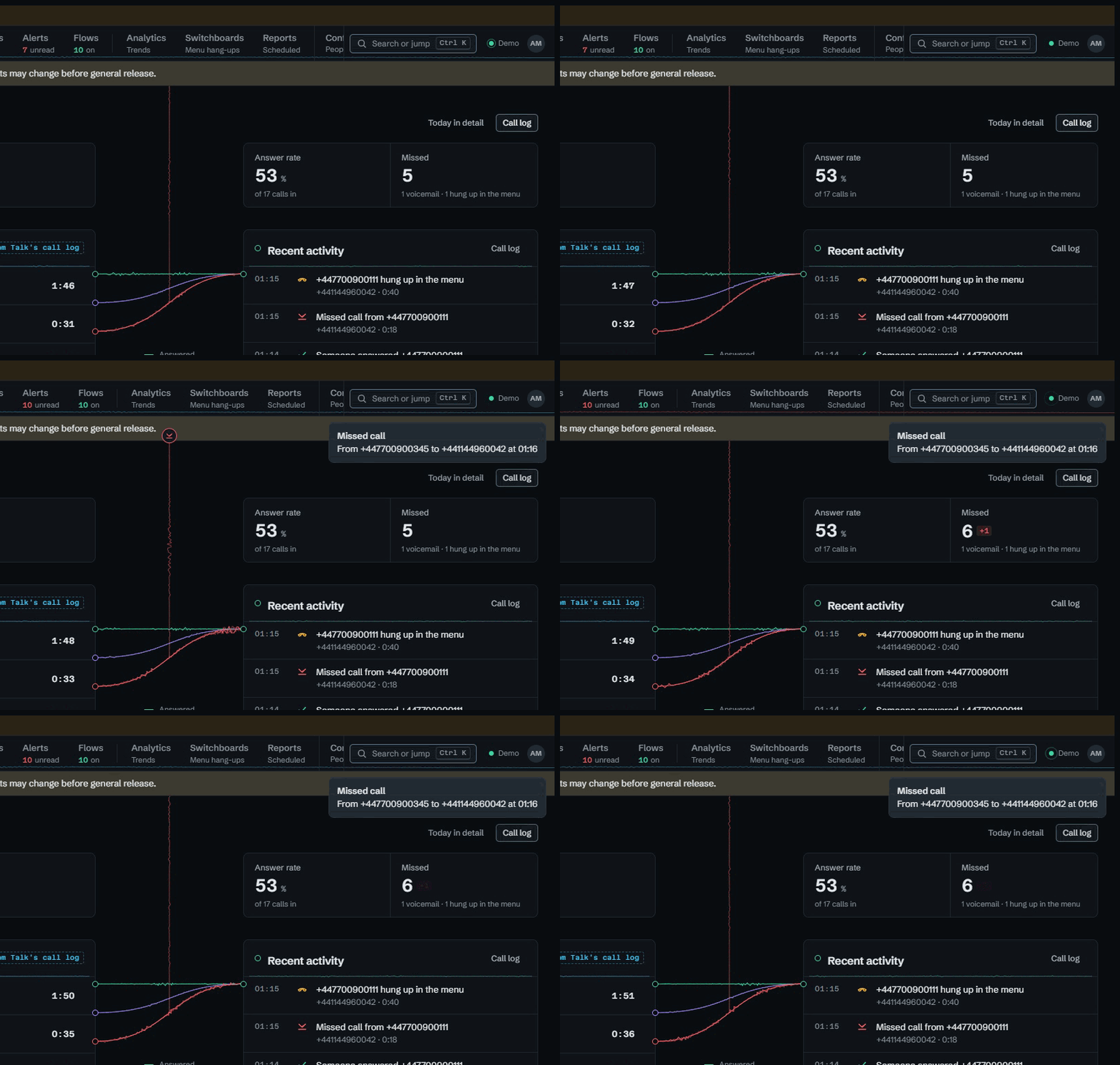
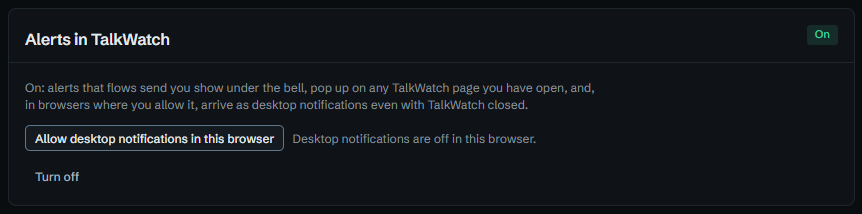
Desktop notifications use Web Push, which browsers allow only over HTTPS, so they need TalkWatch behind a certificate. See Behind a reverse proxy.
Getting about quickly
- Ctrl+K, or /, opens the command palette: type a caller's number, a name, or missed for today's missed calls.
- g then a letter jumps to a workspace: g o for Operator, g n for Now, g b for Call-backs.
- Choosing a call on any board opens it beside the page, with its route and what happened, so the board stays in view.
Try it in the demo
From Try a scenario, play Presses 1, then 2 and Presses a wrong key with Operator open, and watch the cards move through the menu. Do not disturb and On a call change someone's presence in the support team for a minute.
See also
- Operator and Now in the tour.
- Finding your way round for every key.
- Getting back to every missed caller.