Finding a call and what was said
"Someone rang on Tuesday about the invoice, and I said I'd call back." Talk's own call log can find Tuesday. It can't find the invoice, and once the console has pruned the recording there's nothing left to listen to anyway. TalkWatch keeps its own copy of every call, recording and voicemail, and lets you search what was said.
Search what was said
The search box on Calls looks through the transcripts and Talk's summaries of the calls you may read, so invoice finds the call where the caller said it, whichever line it came in on. It needs Talk's AI transcription to be on, and finds only calls whose transcripts you're allowed: without the transcripts tick on a line, a search finds nothing in its calls, rather than hinting at what they said.
/calls?q=invoice is the same search as a link.
Or narrow it down
Every filter is a click, shown as a chip that says what it does and comes off with another. The filters live in the address, so a view can be bookmarked or sent to someone; someone without the same access just sees fewer calls.
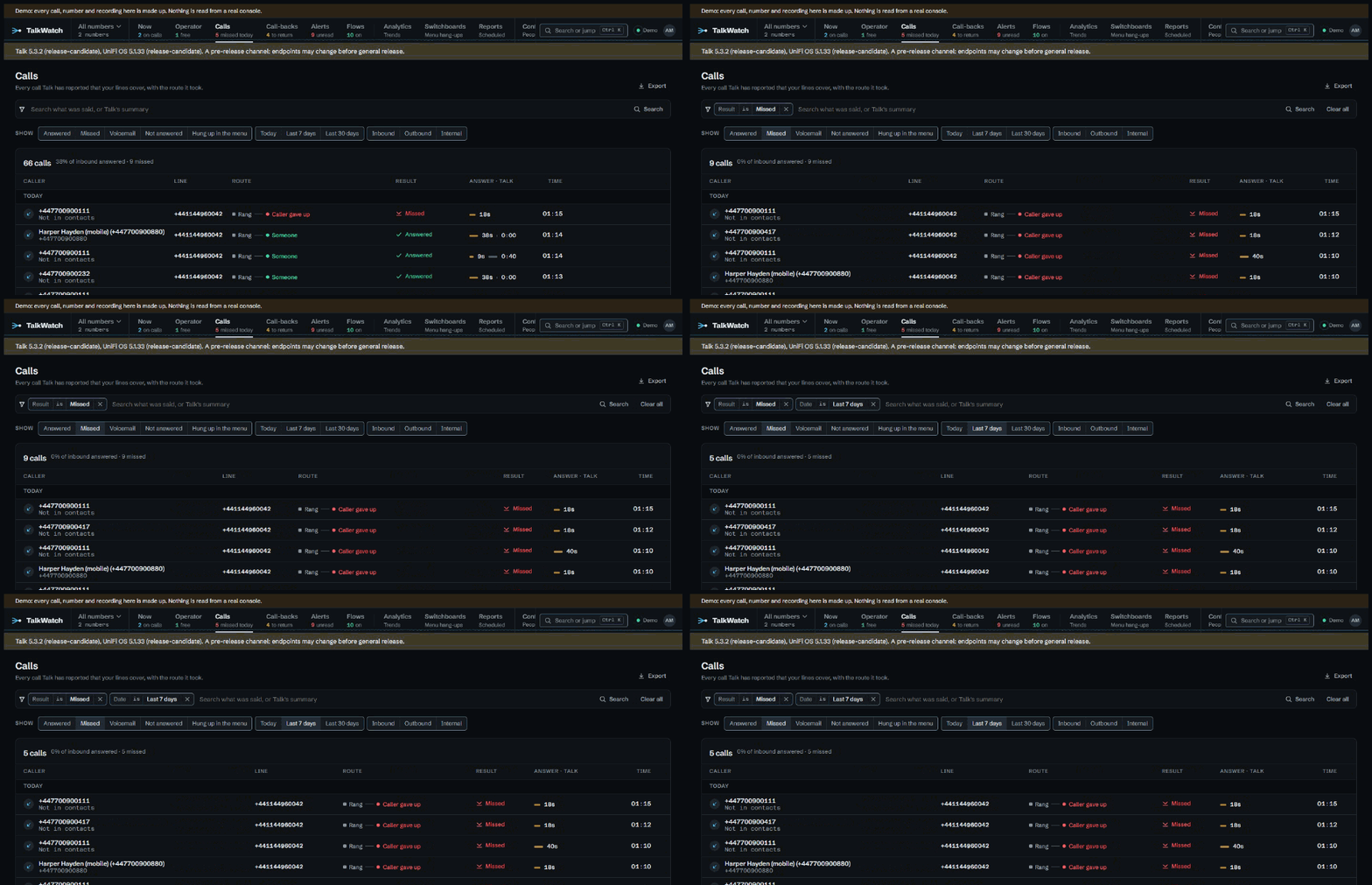
| Filter | Choices | In the address |
|---|---|---|
| Result | answered, missed, voicemail, not answered, hung up in the menu | outcome=answered, missed, voicemail, unanswered, menu |
| Date | today, last 7 days, last 30 days | period=today, 7d, 30d |
| Direction | inbound, outbound, internal | dir=in, out, internal |
| What was said | any words | q=… |
The heading counts what's left: 53 calls, 33% of inbound answered, 4 missed.
Or jump straight to it
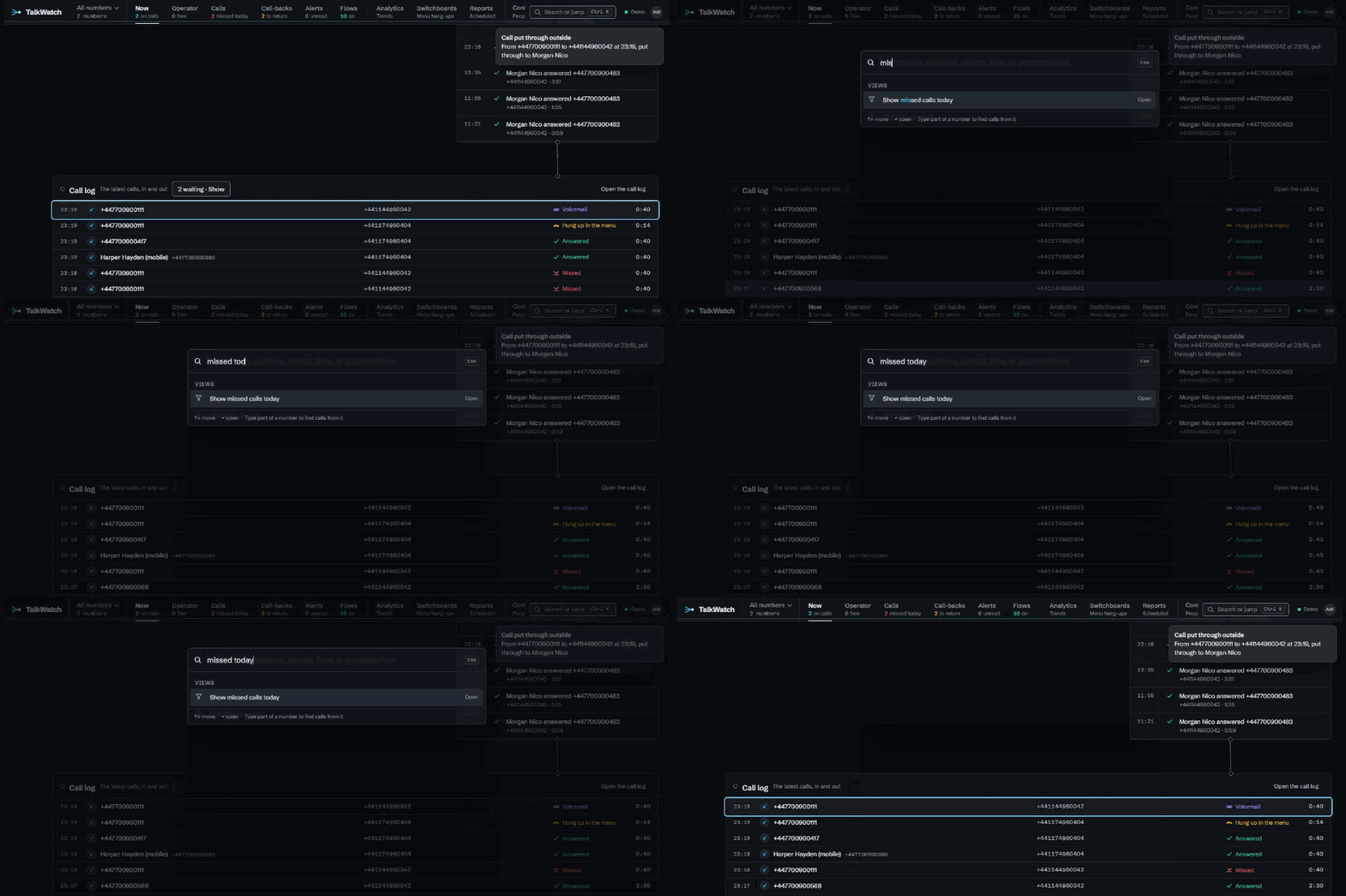
Ctrl+K opens the palette, which searches calls, numbers, people and lines as you type. Three digits or more find a caller's number from any part of it, and the format doesn't matter: 0752, 07700 900752 and +44 7700 900752 find the same caller, so the last four digits on a sticky note are enough.
What a call's page tells you
A call's page tells it as what happened, from Talk's routing events: which number it came in on, the menu options chosen, who it rang and for how long, and how it ended. Below that come the recording or voicemail, Talk's summary and the transcript, and With this number, the other calls from the same caller, so "they've rung three times this week" is there without looking.
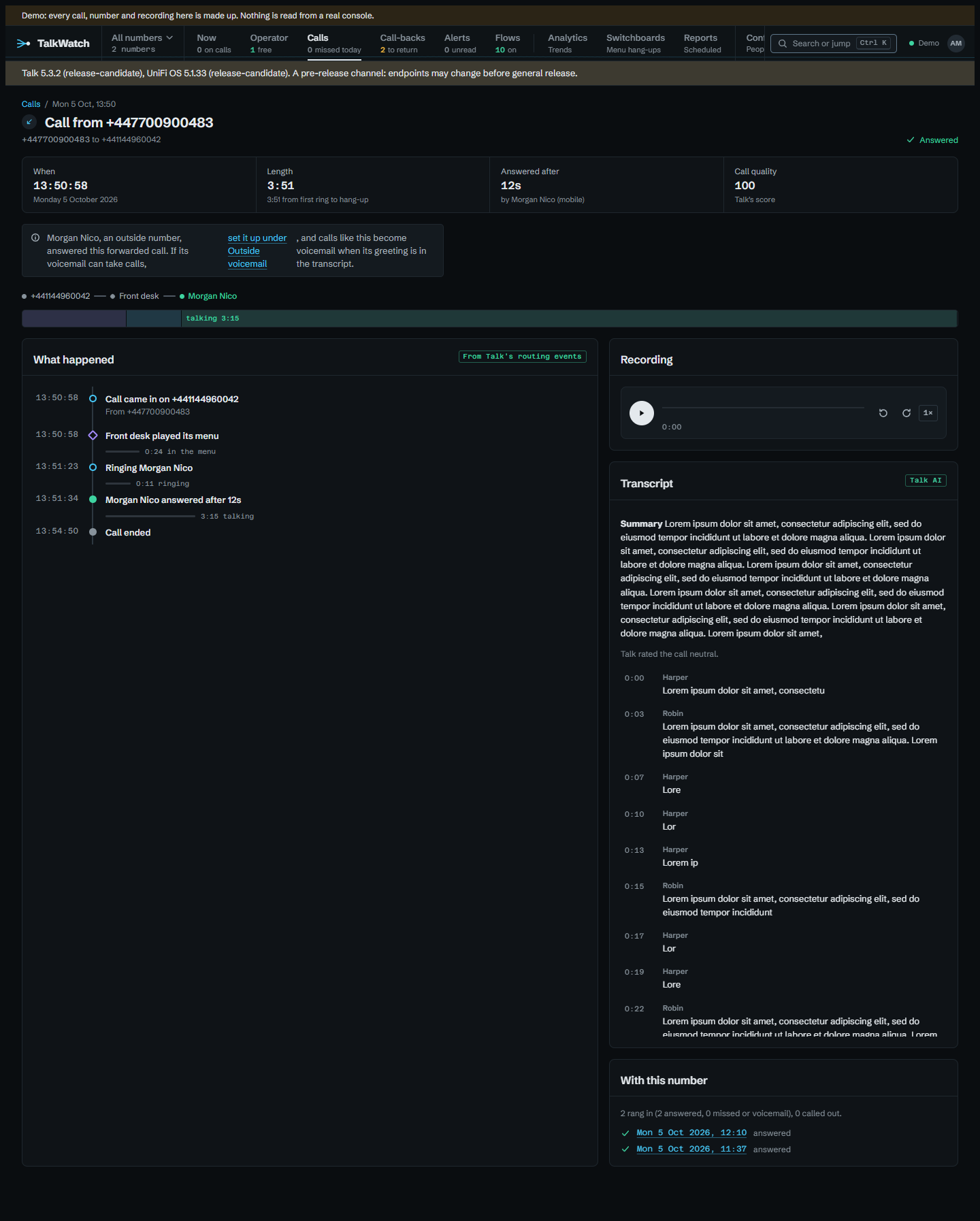
- The recording plays in the page, with a waveform. Nothing's downloaded until you press play, and the waveform is drawn from that same download, so opening a call isn't a play and one play is one entry in the audit log.
- Click a line of the transcript to jump there. The line being spoken is highlighted.
- Move to another page and a small player keeps the recording going.
- A caller the call doesn't name is named from Talk's contacts, here and in alerts.
Why keep a copy at all
Consoles prune old audio, and firmware updates have wiped app data before. TalkWatch copies recordings and voicemail off the console as they appear, into its own storage, and keeps them for as long as Retention says: everything, or a preset such as UK GDPR, which removes calls and audio after set periods. See Retention and Backups.
Taking it elsewhere
Export on Calls downloads a date range, up to a year, as CSV for a spreadsheet or Parquet for DuckDB, pandas or Power BI. Every export goes in the audit log. See Using TalkWatch's data elsewhere.
Try it in the demo
Every recording in the demo is synthetic, and every page says so. Open Calls, choose Answered, and open a call with a recording to play it and click through the transcript.
See also
- Calls and call-backs.
- Data protection and recording, on recording calls lawfully and who may hear them.